

2025年由于公司项目进入攻坚期,且生活重心有所调整,博客暂停了实时更新,现将这一年的技术沉淀集中整理到“2025实战总结”系列中。
需求概述
随着AI技术的发展普及,传统的对象检测(例如YOLO V10)在对象检测中主要通过准备数据集,然后标注和训练得到模型,基于模型进行推论得到结果,但是在工业环境中存在泛用性和频率的问题
1.工业环境中的对象检测需求更新频率快,训练YOLO模型需要时间收集数据进行标注和训练,一般需要5小时才能完成,对于工业环境缺少了5小时的检测空档。
2.检查准确性和置信度稳定性问题,YOLO模型检测精度在不同场景差异较大,如果是有训练的场景,准确性能达到55-60% mAP,置信度能到0.99,但是在没有训练过的场景效果不好,准确度大约在30% mAP,置信度大约到0.40,其实际在工业场景的体现就是经常漏检测和经常误检测,大约10次有一次会出现,目前工业场景大部分处理方式是以时间换过程,因为YOLOV10检测非常快,所以在一秒时间可以检测几十次,如果几十次检测到5次则认为确实有目标对象。
解决方案和遇到的问题
(解决模型检测广泛兼容性问题和准确性问题)
在所有的深度学习模型中,都是基于预训练数据来得到模型,想要解决模型的广泛支持,我们只找到了VLM(Vision-Language Model),是视觉语言模型,输入的是图像和文字需求,输出是文本,我们实验了一个开源模型可以实现对象广泛检测,例如如下范例的在图像中寻找马的检测
源代码:
import torch
if not hasattr(torch, "compiler"):
    class FakeCompiler:
        @staticmethod
        def is_compiling(): return False
    torch.compiler = FakeCompiler()
elif not hasattr(torch.compiler, "is_compiling"):
    torch.compiler.is_compiling = lambda: False

import cv2
from PIL import Image
from transformers import Qwen2_5_VLForConditionalGeneration, AutoProcessor
import time
import os
import json

# ================= 配置区域 =================
MODEL_PATH = "Qwen2.5-VL-7B-Instruct"
IMAGE_PATH = "test.jpg"

# 提示词
TARGET_PROMPT = "Detect the horses in this image and provide their bounding boxes in JSON format like {\"bbox_2d\": [xmin, ymin, xmax, ymax], \"label\": \"object\"}."
# ===========================================

def parse_coordinates_direct(text, orig_w, orig_h, processed_w, processed_h):
    """
    修正版:将模型基于内部处理尺寸的坐标映射回原图
    """
    objects = []

    # 1. 提取 JSON 块
    json_start = text.find('```json')
    json_end = text.rfind('```')

    if json_start == -1 or json_end == -1:
        return objects

    json_str = text[json_start + 7:json_end].strip()
    if json_str.endswith('<|im_end|>'):
        json_str = json_str[:-len('<|im_end|>')].strip()

    try:
        data = json.loads(json_str)
        for item in data:
            if "bbox_2d" in item:
                # 获取模型输出的坐标(这些坐标是基于 processed_w/h 的)
                m_x1, m_y1, m_x2, m_y2 = item["bbox_2d"]

                # --- 核心修正公式 ---
                # x_real = x_model * (原始宽 / 模型内部宽)
                x1 = int(m_x1 * orig_w / processed_w)
                y1 = int(m_y1 * orig_h / processed_h)
                x2 = int(m_x2 * orig_w / processed_w)
                y2 = int(m_y2 * orig_h / processed_h)

                objects.append({
                    "label": item.get("label", "object"),
                    "box": [x1, y1, x2, y2]
                })
    except Exception as e:
        print(f"解析 JSON 出错: {e}")

    return objects

# 1. 加载模型
print(f"正在加载模型: {MODEL_PATH} ...")
model = Qwen2_5_VLForConditionalGeneration.from_pretrained(
    MODEL_PATH,
    torch_dtype="auto",
    device_map="cuda",
    # attn_implementation="sdpa"
)
# 保持像素设置
min_pixels = 256 * 28 * 28
max_pixels = 512 * 28 * 28
processor = AutoProcessor.from_pretrained(MODEL_PATH, min_pixels=min_pixels, max_pixels=max_pixels)
print("模型加载完成!")

# 2. 读取图片
if not os.path.exists(IMAGE_PATH):
    print(f"错误:找不到图片文件 {IMAGE_PATH}")
    exit()

frame = cv2.imread(IMAGE_PATH)
orig_h, orig_w = frame.shape[:2]
print(f"原始图片尺寸: {orig_w}x{orig_h}")
rgb_frame = cv2.cvtColor(frame, cv2.COLOR_BGR2RGB)
image = Image.fromarray(rgb_frame)

# 3. 构造推理请求
messages = [
    {
        "role": "user",
        "content": [
            {"type": "image", "image": image},
            {"type": "text", "text": TARGET_PROMPT},
        ],
    }
]

text = processor.apply_chat_template(messages, tokenize=False, add_generation_prompt=True)
inputs = processor(text=[text], images=[image], padding=True, return_tensors="pt").to("cuda")

# --- 关键修正:获取模型内部实际处理的像素尺寸 ---
# image_grid_thw 的格式是 [time, height_patches, width_patches]
# 每个 patch 的像素大小是 28x28 (在 Qwen2.5-VL 中)
grid_t, grid_h, grid_w = inputs['image_grid_thw'][0]
processed_h = int(grid_h * 28)
processed_w = int(grid_w * 28)
print(f"模型内部处理尺寸: {processed_w}x{processed_h}")

# 4. 执行推理
start_time = time.time()
with torch.no_grad():
    generated_ids = model.generate(**inputs, max_new_tokens=256)

# 解码
generated_ids_trimmed = [out_ids[len(in_ids):] for in_ids, out_ids in zip(inputs.input_ids, generated_ids)]
output_text = processor.batch_decode(generated_ids_trimmed, skip_special_tokens=False)[0]

print(f"模型原始输出: {output_text}")
print(f"推理耗时: {time.time() - start_time:.2f}s")

# 5. 解析并绘制结果
# 传入原始尺寸和模型内部处理尺寸
current_objects = parse_coordinates_direct(output_text, orig_w, orig_h, processed_w, processed_h)

if not current_objects:
    print("未检测到目标。")
else:
    print(f"检测到 {len(current_objects)} 个目标,正在画框...")

for obj in current_objects:
    x1, y1, x2, y2 = obj['box']
    label = obj['label']

    # 画框
    cv2.rectangle(frame, (x1*2, y1*2), (x2*2, y2*2), (0, 255, 0), 2)
    cv2.putText(frame, label, (x1*2, y1*2 - 10), cv2.FONT_HERSHEY_SIMPLEX, 0.7, (0, 255, 0), 2)

# 6. 保存结果
save_path = "result_" + IMAGE_PATH
cv2.imwrite(save_path, frame)
print(f"结果已保存至: {save_path}")

# 7. 显示
try:
    display_w = 1000
    display_h = int(display_w * orig_h / orig_w)
    display_frame = cv2.resize(frame, (display_w, display_h))
    cv2.imshow('Detection Result', display_frame)
    cv2.waitKey(0)
    cv2.destroyAllWindows()
except:
    pass
原始输出:
[
        {"bbox_2d": [0, 78, 226, 451], "label": "horses"},
        {"bbox_2d": [213, 140, 322, 401], "label": "horses"},
        {"bbox_2d": [296, 42, 533, 461], "label": "horses"},
        {"bbox_2d": [554, 36, 734, 460], "label": "horses"}
]
输入图像和解析文本后处理的图像:
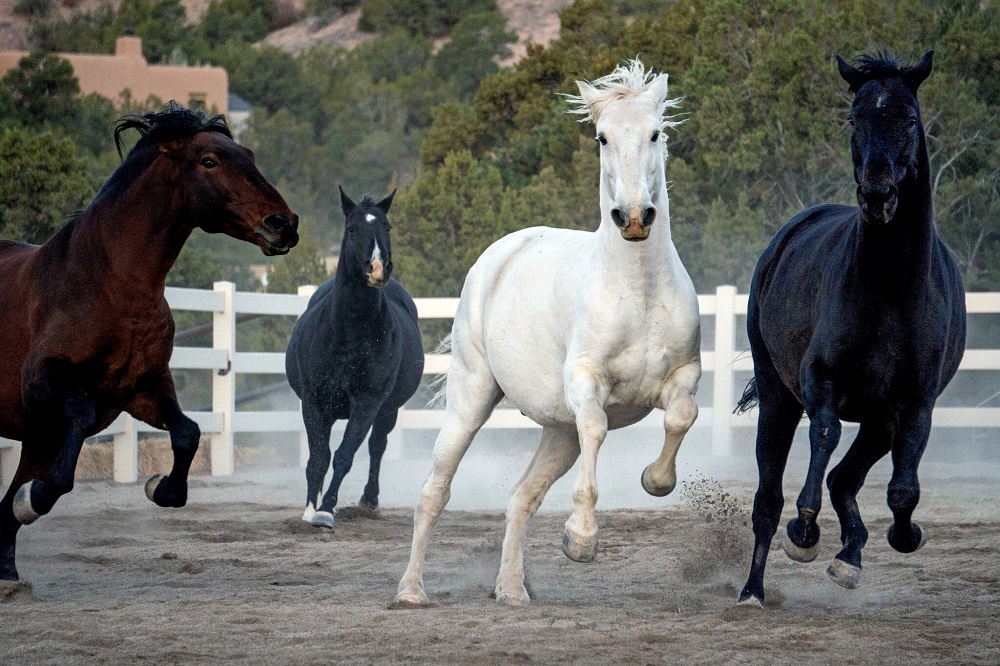
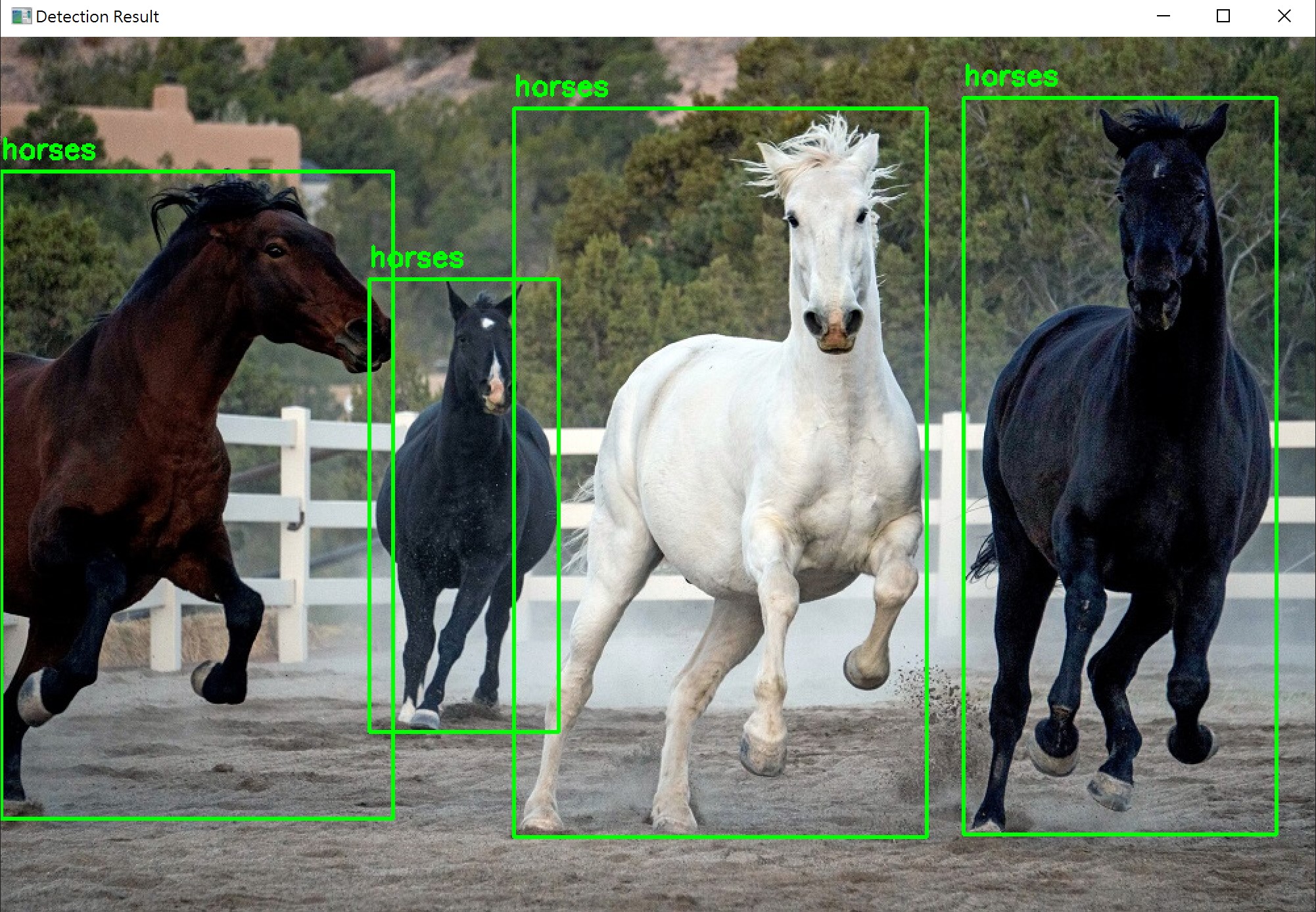
可以看到我们的需求是“Detect the horses in this image and provide their bounding boxes in JSON format like {\"bbox_2d\": [xmin, ymin, xmax, ymax], \"label\": \"object\"}. “,大意是检测图像中的马并按照特定的格式输出,VLM很好的完成了这个需求
具体硬件和模型信息如下:
模型名称:Qwen2.5-VL-7B-Instruct
原始图像尺寸:1000x666
推理时间:14.70s
检测对象:4(实际对象4)
处理硬件:RTX4060 8GB(推理显存消耗峰值为7.3GB)
注意:这套代码在尝试使用Qwen2.5-VL-3B-Instruct的时候遇到了如下报错,代码并不能运行:
ValueError: Cannot load safetensors of unknown dtype U32
根据其他同仁在更高阶的推理设备运行VLM的情况,我缺少硬件没有实际操作,据了解在DGX Spark Founders Edition上能满足摄像头30FPS的1920*1080分辨率视频流推论,推理结果延迟约2秒返回,共享内存占用约70%
总结
VLM可能是深度学习对象检测的发展下一个阶段,目前受到限制的是推理性能,其准确性和广泛性是其优势,预计在未来的1-3年期间随着算力硬件的进步将广泛应用在生活和工业场景中,届时可能会出现更高度集成的视频语言大模型